


The best CarPlay apps help you drive with less stress, better directions, easier music control, safer messaging, fuel savings, EV charging help, and smarter travel planning. Apple CarPlay brings useful iPhone apps to your car screen so you can keep your focus on the road.
In simple words, the best CarPlay apps are the ones that solve real driving problems. Good CarPlay apps should be easy to use, voice friendly, fast to open, and helpful without making you look away from the road for too long.

What Is Apple CarPlay?
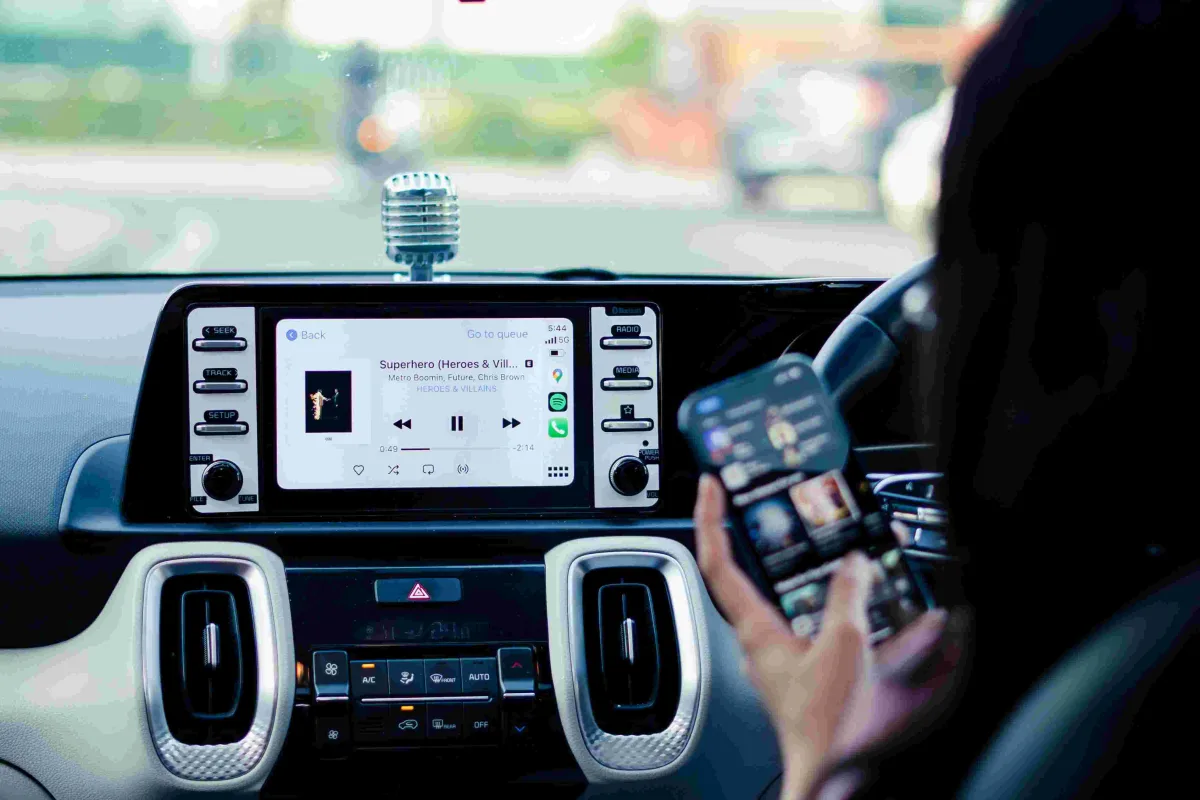
Apple CarPlay is a system that connects your iPhone to your car display. It lets you use selected apps in a simpler driving friendly layout.
With CarPlay, you can get directions, make calls, send messages, listen to music, hear podcasts, and use supported driving apps. Apple describes CarPlay as a smarter and safer way to use your iPhone while driving.
CarPlay does not show every app on your iPhone. It only supports apps that fit driving use, such as navigation, audio, messaging, parking, EV charging, fueling, food ordering, and some automaker tools. Visit the official Apple CarPlay page.
Why Choosing the Right CarPlay Apps Matters?
A good CarPlay setup can make your driving day much easier. For example, the right navigation app can help you avoid traffic, while the right music app can make long trips feel shorter.
However, too many apps can also make your screen feel crowded. Therefore, it is better to keep only the apps you truly use while driving.
The goal is not to turn your car into a phone. The goal is to use helpful tools in a safer and more controlled way.
Best CarPlay Apps by Category
Different drivers need different apps. A daily commuter may care most about traffic alerts, while an EV driver may need charging station apps.
The table below gives a quick overview before we go deeper into each app category.
| Category | Best Apps | Best For |
|---|---|---|
| Navigation | Apple Maps, Google Maps, Waze | Directions, traffic, route planning |
| Music | Apple Music, Spotify, YouTube Music | Songs, playlists, albums, radio style listening |
| Podcasts and Audiobooks | Apple Podcasts, Audible, Overcast | Learning, stories, news, long drives |
| Messaging | Messages, WhatsApp | Hands free texts and voice replies |
| EV Charging | PlugShare, ChargePoint | Finding charging stations |
| Fuel and Parking | GasBuddy, SpotHero, ParkMobile | Fuel prices, parking search, parking payment |
Best CarPlay Navigation Apps
Navigation apps are the heart of CarPlay. If you drive often, this is the first category you should set up properly.
A good navigation app should give clear directions, strong traffic updates, safe voice guidance, and easy rerouting. In addition, it should match your driving style.
Apple Maps
Apple Maps is one of the best CarPlay apps because it works smoothly with iPhone and Siri. It feels natural inside CarPlay and usually looks clean on the car screen.
Apple Maps is a good choice if you like a simple layout and strong iPhone integration. It can show turns, traffic, estimated arrival time, and route options.
It also works well if you use Apple Watch, Calendar, Contacts, and Siri. For many iPhone users, Apple Maps is the easiest navigation app to start with.
Google Maps
Google Maps is a great option for drivers who want detailed place information. It works well for finding restaurants, stores, gas stations, hotels, and local businesses.
Many users like Google Maps because it has strong search data and useful traffic details. It is especially helpful when driving in unfamiliar cities.
If you travel often or depend on business reviews and location details, Google Maps may be the best CarPlay navigation app for you.
Waze
Waze is popular with daily commuters because it focuses on real time road reports. Drivers use it for alerts about traffic, crashes, hazards, police reports, and road slowdowns.
Waze feels more community based than Apple Maps or Google Maps. Therefore, it can be very helpful on busy city roads and daily work routes.
However, Waze can feel more active on the screen. If you prefer a calm and simple map, Apple Maps may feel better.
Navigation App Comparison
Each navigation app has a different strength. The best choice depends on how and where you drive.
| App | Main Strength | Best For |
|---|---|---|
| Apple Maps | Clean design and Apple ecosystem support | iPhone users who want simple navigation |
| Google Maps | Strong search and place information | Travelers and city drivers |
| Waze | Community traffic alerts | Daily commuters and traffic heavy routes |
Best CarPlay Music Apps
Music apps make CarPlay more enjoyable, especially during long drives. The best music app should support playlists, voice control, easy search, and smooth playback.
However, do not spend too much time browsing while driving. Set up playlists before you start the trip, then use voice commands or simple controls.
Apple Music
Apple Music works very smoothly with CarPlay because it is part of the Apple ecosystem. It supports playlists, albums, radio stations, library music, and Siri voice control.
It is a strong choice if you already use an iPhone, HomePod, Mac, or other Apple devices. The layout also feels clean and easy to understand.
For many iPhone users, Apple Music is the simplest music app for CarPlay because it needs little setup.
Spotify
Spotify is one of the most popular music apps for CarPlay. It offers playlists, podcasts, albums, artists, daily mixes, and music discovery tools.
Spotify is a great choice if you like personalized playlists and shared playlists. It also works well for people who move between iPhone, desktop, smart speakers, and car listening.
The CarPlay interface is usually easy to use. Still, it is better to choose your playlist before driving so you do not search too much on the road.
YouTube Music
YouTube Music can be useful if you already use YouTube for music, live performances, covers, and playlists. It gives access to a wide range of audio content.
It may be a good fit for drivers who enjoy music discovery and already pay for YouTube Premium. However, the experience depends on your subscription and region.
If you use YouTube Music every day on your phone, adding it to CarPlay can make your car listening easier.
Best CarPlay Podcast Apps
Podcasts are great for learning while driving. You can listen to news, interviews, business lessons, comedy, sports, history, and personal finance tips.
A good podcast app should keep your shows organized and let you continue where you left off. This is especially useful during a commute.
Apple Podcasts
Apple Podcasts is a strong choice for most iPhone users. It is simple, free to start, and already works well with Apple devices.
You can follow shows, save episodes, and continue listening in the car. It also works well with Siri, which helps reduce tapping while driving.
If you are new to podcasts, Apple Podcasts is one of the easiest CarPlay apps to try first.
Overcast
Overcast is popular with podcast fans who want more listening control. It offers helpful tools for playback speed, voice boost, and episode management.
It is best for people who listen to podcasts often and want a cleaner listening experience. The app can make spoken audio easier to hear in the car.
If you listen to many long episodes, Overcast can help you manage your queue better.
Pocket Casts
Pocket Casts is another strong podcast app for serious listeners. It works across platforms and offers a clean way to organize subscriptions.
It is helpful if you use more than one device or want a flexible podcast library. The CarPlay support makes listening easier during travel.
For drivers who listen every day, Pocket Casts can be a smart upgrade from basic podcast apps.
Best CarPlay Audiobook Apps
Audiobook apps are perfect for road trips and long commutes. They let you turn driving time into reading time without looking at a screen.
However, choose books before you start driving. This keeps your trip safer and smoother.
Audible
Audible is one of the best CarPlay apps for audiobooks. It has a large audiobook library and works well for fiction, business, self improvement, history, and learning.
It is best for people who want premium audiobooks and a polished listening experience. The app remembers your place, which makes it easy to continue later.
If you drive often, Audible can make long hours feel more useful and enjoyable.
Apple Books
Apple Books is another good option for audiobooks. It works well if you already buy books through Apple.
The app keeps things simple and connects with your Apple account. This can be helpful if you prefer using built in Apple apps.
For light audiobook users, Apple Books may be enough without adding another service.
Best CarPlay Messaging and Calling Apps
Messaging while driving can be dangerous if you touch your phone. CarPlay helps by using voice based reading and replies.
Still, you should keep messages short and only respond when necessary. Safety should always come first.
Messages
Apple Messages is one of the most useful CarPlay apps for iPhone users. Siri can read incoming messages and help you send replies by voice.
This keeps your eyes on the road more than typing on a phone. It works best for quick messages like arrival times, simple replies, and urgent updates.
If a conversation needs detail, wait until you park. CarPlay helps, but it should not replace careful driving.
WhatsApp is useful for drivers who communicate with family, friends, coworkers, or international contacts. It supports voice based messaging through CarPlay.
This can be helpful for immigrants, international families, and people who use WhatsApp as their main communication app. In many countries, WhatsApp is more common than SMS.
Use it carefully while driving. Let Siri read and send short messages, and avoid long conversations until you stop.
Best CarPlay EV Charging Apps
EV drivers need a different kind of app support. Finding a charging station at the right time can make or break a trip.
The best EV CarPlay apps help you find chargers, check locations, and plan stops. However, station details can change, so always confirm inside the app.
PlugShare
PlugShare is helpful for finding EV charging stations. It includes station locations and community feedback from other EV drivers.
This can be useful because charging stations may differ in reliability, speed, price, and access. User comments can help you avoid a bad stop.
If you drive an electric car, PlugShare is one of the first CarPlay apps worth checking.
ChargePoint
ChargePoint is useful for drivers who use the ChargePoint charging network. It helps locate chargers and manage charging sessions where supported.
This app can be especially helpful if ChargePoint stations are common in your area. For regular EV drivers, it can reduce charging stress.
Before a long trip, compare charging options in advance. This helps you avoid low battery problems on unfamiliar roads.
Best CarPlay Fuel and Gas Apps
Gas prices can change often, and a small difference can matter if you drive a lot. Fuel apps help drivers compare gas stations and save money.
These apps work best when you check them before you are nearly empty. That gives you more choices.
GasBuddy
GasBuddy is a popular app for finding gas prices nearby. It can help drivers compare stations and choose a cheaper fuel stop.
This is useful for commuters, delivery drivers, road trippers, and families trying to control monthly driving costs.
If you are also comparing auto costs, you may like this StarUnbox guide on what is the main purpose of having auto insurance.
Best CarPlay Parking Apps
Parking apps can help reduce stress in busy cities, airports, downtown areas, and event locations. They can help you find or pay for parking faster.
However, availability depends on your city and parking provider. Always check local support before relying on one app.
ParkMobile
ParkMobile is useful in many places for paying for street or lot parking. It can save time because you may not need to find a meter or payment machine.
This is helpful when you are in a hurry or do not carry coins or cards. It can also help you manage parking time from your phone.
For city drivers, ParkMobile can be a useful CarPlay related tool when supported in the area.
SpotHero
SpotHero is helpful for finding and booking parking in advance in many cities. It is especially useful for airports, concerts, sports events, and downtown trips.
Booking ahead can reduce stress because you know where you plan to park. It may also help you compare prices.
If you travel often, a parking app can be just as useful as a navigation app.
Best CarPlay Apps for News and Radio
Radio and news apps help you stay updated while driving. They are useful when you want local news, sports, talk shows, or live stations.
As always, choose your station before driving or use voice control. Do not browse deeply while on the road.
TuneIn Radio
TuneIn Radio gives access to radio stations, news, sports, and talk content. It is helpful if you like live radio but want more choices than your local stations.
This app can be useful during long travel because you can listen to stations from different areas. It also works well for sports and news fans.
For simple listening, TuneIn is a strong addition to CarPlay.
iHeartRadio
iHeartRadio is another good choice for radio, music stations, podcasts, and live content. It is popular with users who enjoy radio style listening.
The app can make it easier to access favorite stations through CarPlay. This is helpful if you already listen to iHeartRadio on your phone.
For drivers who prefer radio over playlists, this app is worth trying.
Best CarPlay Apps for Productivity
Productivity in the car should be limited. You should not try to work deeply while driving, but some audio based tools can help during safe moments.
The best productivity apps for CarPlay are voice first and low distraction. They should help you listen, remember, or make quick voice notes.
Calendar
Apple Calendar can help you see upcoming appointments and navigate to event locations. This is useful for people who drive to meetings, classes, medical visits, or work sites.
If your event includes an address, CarPlay can help you start navigation more easily. This saves time when you are moving between appointments.
Good calendar habits can make your driving day feel more organized.
Voice Memos and Notes Alternatives
Some drivers like to capture ideas while driving. However, you should only use safe voice based tools and avoid typing.
Siri can help with simple reminders and notes. For example, you can ask Siri to remind you to call someone after you arrive.
This keeps your brain clear without taking your hands off the wheel.
How to Add and Arrange CarPlay Apps
You can control which apps appear on your CarPlay screen through your iPhone settings. This helps you keep your car display clean.
Apple lets users personalize the CarPlay app layout from the iPhone. You can move your most used apps closer to the first screen.
For best results, keep navigation, music, messages, and your main driving tools easy to reach. Move less used apps to later screens.
CarPlay App Setup Tips
A good setup can make CarPlay much easier to use. You do not need every supported app on your dashboard.
- Keep your main navigation app on the first screen.
- Place your favorite music or podcast app near navigation.
- Remove apps you never use while driving.
- Set up playlists before starting your trip.
- Use Siri for calls, messages, and simple tasks.
- Update your iPhone and apps regularly.
- Check app permissions if something does not appear.
In addition, make sure your car supports CarPlay. Apple keeps a list of supported vehicle models, and it says more than 800 models support CarPlay. Check Apple CarPlay available models.
Best CarPlay Apps for Different Drivers
The best CarPlay apps depend on your driving habits. A commuter, parent, traveler, rideshare driver, and EV owner may need different setups.
| Driver Type | Best App Mix | Why It Works |
|---|---|---|
| Daily Commuter | Waze, Spotify, Messages | Traffic alerts, music, and quick communication. |
| Road Trip Driver | Google Maps, Audible, GasBuddy | Route planning, audiobooks, and fuel savings. |
| EV Driver | Apple Maps, PlugShare, ChargePoint | Navigation and charging station support. |
| City Driver | Apple Maps, ParkMobile, SpotHero | Directions and parking help. |
| Family Driver | Apple Music, Messages, Google Maps | Entertainment, family updates, and reliable routes. |
Common CarPlay App Mistakes to Avoid
Many drivers install too many apps and make the CarPlay screen messy. This can make it harder to find what you need.
Another mistake is trying to browse music, podcasts, or messages while driving. Instead, prepare your content before you start the trip.
Also, do not ignore updates. App updates can improve CarPlay support, fix bugs, and add safer controls.
Are CarPlay Apps Safe?
CarPlay apps can be safer than using your phone directly, but they still require good judgment. You should always keep your eyes on the road and hands on the wheel.
Use voice control when possible. If something needs too much attention, wait until you are parked.
The best CarPlay apps support quick actions, clear audio, simple screens, and limited distractions. That is what makes them useful for driving.
Apps and Car Costs
Some CarPlay apps can help you manage driving costs. For example, GasBuddy may help with fuel prices, while parking apps can help compare parking options.
However, apps are only one part of car ownership. Insurance, maintenance, fuel, parking, loans, and repairs all matter.
If you want to understand car costs better, read what does it mean to finance a car and car payment budget guide.
Related Helpful Guides
If you are improving your car setup, these related StarUnbox guides may help. They explain driving, car costs, insurance, and digital tools in simple language.
- How to switch auto insurance, useful if you want better coverage or pricing.
- Main purpose of having auto insurance, helpful for new drivers.
- What does it mean to finance a car, useful before buying a vehicle.
- Car payment budget guide, helpful for planning monthly car costs.
- What are AI agents, useful if you like simple tech guides.
Final Thoughts on the Best CarPlay Apps
The best CarPlay apps are not the same for every driver. For most people, the best setup includes one navigation app, one music app, one podcast or audiobook app, and one or two driving utility apps.
Apple Maps, Google Maps, Waze, Apple Music, Spotify, Audible, Messages, WhatsApp, PlugShare, ChargePoint, GasBuddy, ParkMobile, and SpotHero are all useful choices depending on your needs.
Start with the apps you use every week. Then remove anything that distracts you. A clean CarPlay screen can make your drive safer, calmer, and more enjoyable.